

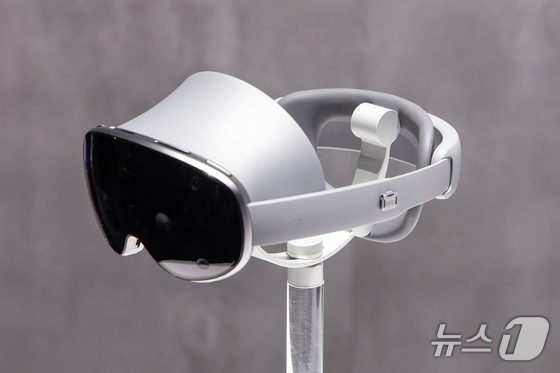
Samsung Electronics’ head-mounted display (HMD) for extended reality (XR), the ‘Galaxy XR,’ outperforms the Apple Vision Pro in several areas, despite being nearly half the price.
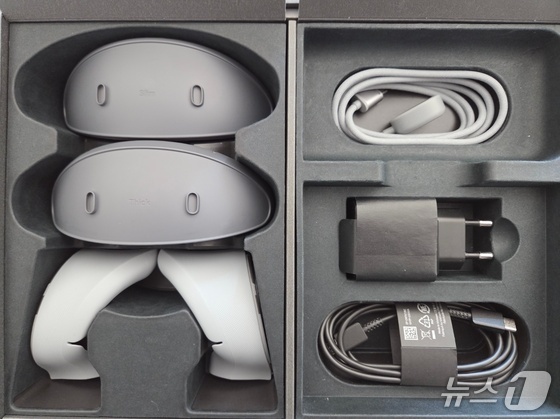
After testing the Galaxy XR, the first device in the Android XR ecosystem, for several days, I found the package includes the main unit, battery, two forehead spacers (thin and thick), a forehead cushion, light blocker, battery cable, and 45W charger.
The Galaxy XR’s comfort level impressed me; I could wear it for over an hour without significant discomfort, thanks to the adjustable forehead spacer, cushion, and rear dial.
At 545 grams, the device’s weight distribution, likely due to Samsung’s touted ergonomic design, caused no noticeable strain on my forehead or neck.
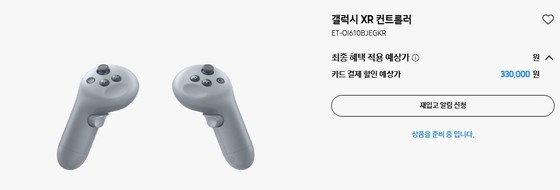
While Samsung launched a controller for the Galaxy XR, it’s not included in the basic package and costs an additional 330,000 KRW (247.5 USD). Given the device’s 2,690,000 KRW (2,017.5 USD) price tag, the absence of the controller in the base package is disappointing.
Galaxy XR leads in hand and eye tracking, resolution, and field of view
The Galaxy XR’s standout feature is its seamless ‘multimodal’ operation, supporting both hand and eye tracking simultaneously. This gives it an edge over the 4,990,000 KRW (3,742.5 USD) Apple Vision Pro, which supports eye tracking but struggles with smooth transitions between eye and hand tracking. The 700,000 KRW (525 USD) Meta Quest 3 offers hand tracking and includes controllers but lacks eye tracking capabilities.
The Galaxy XR’s integration of hand and eye tracking felt intuitive, allowing for quick adaptation to its controls compared to other XR devices.

In terms of specs, the Galaxy XR leads in resolution and field of view.
Each micro OLED lens boasts a resolution of 3,552 x 3,840 pixels, surpassing both the Apple Vision Pro (3,660 x 3,200) and the Meta Quest 3 (2,064 x 2,208).
Remarkably, the Galaxy XR offers higher resolution than the Vision Pro at nearly half the price. While the Meta Quest 3 is significantly cheaper, it uses an LCD display instead of OLED and has a lower resolution.
AI integration sets Galaxy XR apart from competitors
The Galaxy XR’s software capabilities, particularly its AI features, showcase its potential and differentiate it from other XR devices.
Users can activate Google Gemini Live by pressing the power button on the top right for three seconds.
When the ‘Share User’s Gaze’ option is enabled in Gemini Live, the AI can access the user’s app view and external environment through the device’s camera.
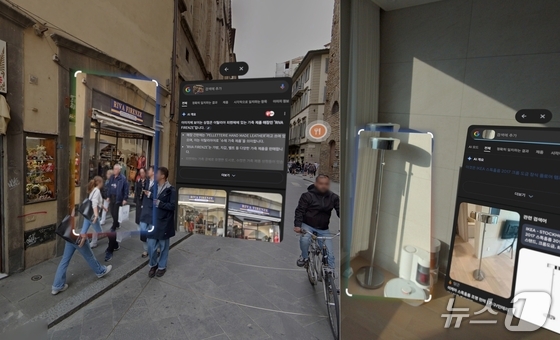
Voice commands allow users to launch and control apps effortlessly. Whether asking for game strategies or inquiring about athletes during sports content, the AI responds naturally, like conversing with a friend. The device also incorporates Galaxy AI’s ‘Circle to Search’ feature.
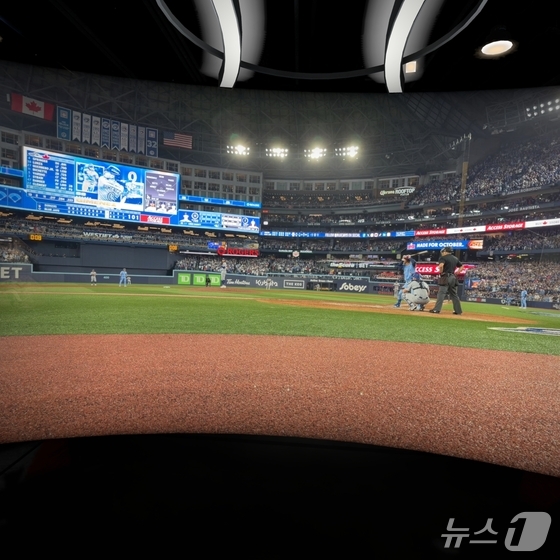
Google’s Android XR brings fresh experiences, such as the ‘Immersive View’ feature in Google Maps, offering 3D VR views of global landmarks.
However, beyond Google-linked apps, the content library feels limited compared to more established XR platforms. Yet, given its Android-based foundation, we can expect rapid content expansion in the near future.